
Everything you need get off to a good start.
Brochures, guides, video tutorials, and live support—everything you need to create a successful audio guide, from the initial idea to publication.
Getting Started with the Editor
Frequently Asked Questions
Audioguides synchronized.
Create and manage your entity
Requirements
- Having created a CityTourPlayer account and to be connected to it. Create your account - See the help article
Now that you are ready to create your first project, you need to set up the identity you are creating your project with.
To get started you can click on "Manage my audio guides" in the main menu, if you do not see the option, make sure you are connected.
You can then create an entity. Entities represent companies or communities, to which you can give different accesses to your team, and create as many audioguides as you want for each entity.
Select your entity name, e.g. NexSwiss Ltd, your hashtag, this is a word without special characters of at least 3 characters, e.g. nexswiss and an image, e.g. your logo.
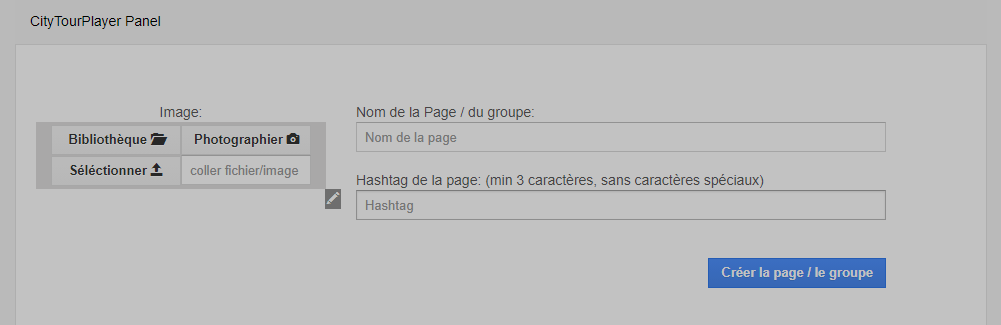
When you are ready, click on create, your entity will be created.
Once you have done this, you can move on to the next article: Create an AudioGuide
Further entity options
You can also give access to your entity to other people to make an AudioGuide for you for example: manage access and roles

Synchronized audio guides for public transportation. A project NexSwiss Sàrl, Switzerland.